
Sandbox
This guide summarizes sandbox integration: environment differences, merchant setup, keys and required params, available APIs, and callback simulation.
1. Sandbox highlights
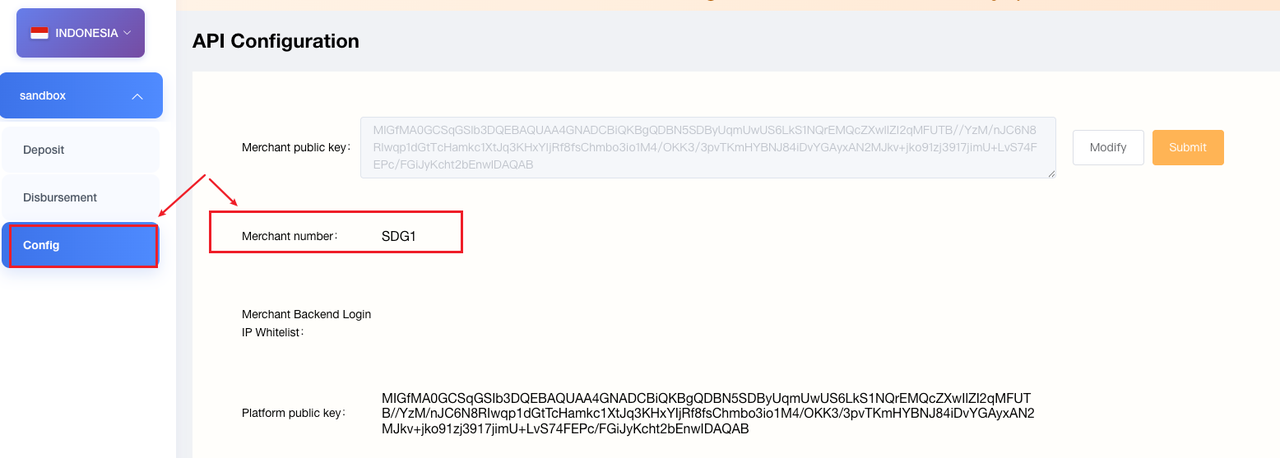
- Merchant number prefix: Sandbox merchant numbers use the
SDprefix, Example: production123456—sandboxSD123456. All sandbox requests must use the sandbox merchant numbermchNo. - Local simulation: Sandbox requests do not hit real upstream systems. Both pay-in and pay-out () will return simulated results.
- Callbacks: Sent to the
downNotifyUrlprovided at order creation. Ensure it is publicly reachable. For Pay-Out, confirm the calling IP is whitelisted if required.
Domain guide
| Type | Domain | Scope | Notes |
|---|---|---|---|
| Unified domain (recommended) | openapi.toppayment.com | All fiat countries and crypto | Fiat paths include {countryCode}; crypto uses /crypto/...; legacy hosts remain available |
| Country domain (compatible) | global-{countryCode}-openapi.toppayment.com | All fiat countries | e.g. global-ng-openapi.toppayment.com |
| Legacy crypto domain (compatible) | global-digit-openapi.toppayment.com | Crypto | Path remains /crypto/... |
Examples:
- Recommended (fiat):
https://openapi.toppayment.com/sandbox/{countryCode}/... - Recommended (crypto):
https://openapi.toppayment.com/crypto/sandbox/... - Legacy (fiat):
https://global-{countryCode}-openapi.toppayment.com/sandbox/{countryCode}/... - Legacy (crypto):
https://global-digit-openapi.toppayment.com/crypto/sandbox/...
2. Preparation
Get sandbox merchant config
From the merchant dashboard, obtain the sandbox API config and sandbox merchant numberSDxxxxxx, and upload the merchant public key.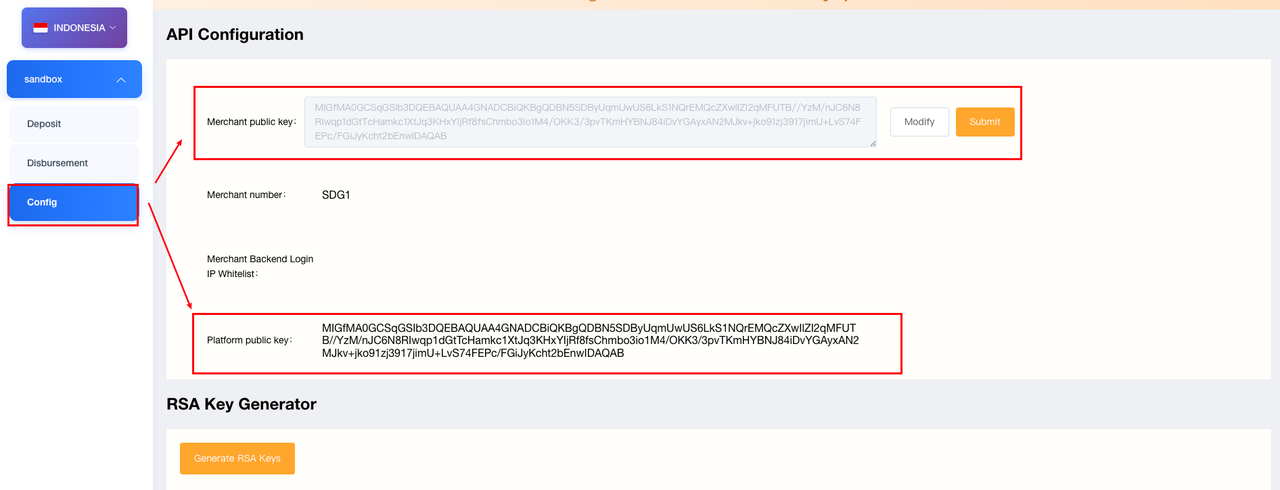
Generate key pair
Use RSA PKCS#8 (recommended 2048-bit; 1024-bit for legacy merchants only — see Signature). Retain the merchant private key for signing; upload the merchant public key to the dashboard.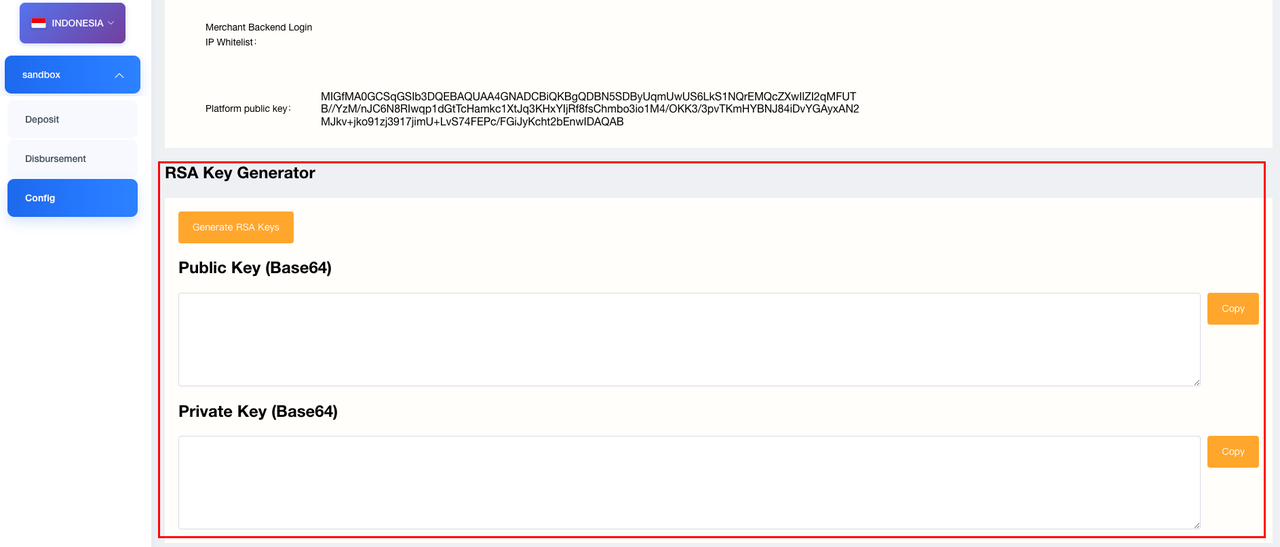
Platform public key
Download the public platform key from the dashboard to verify platform callbacks.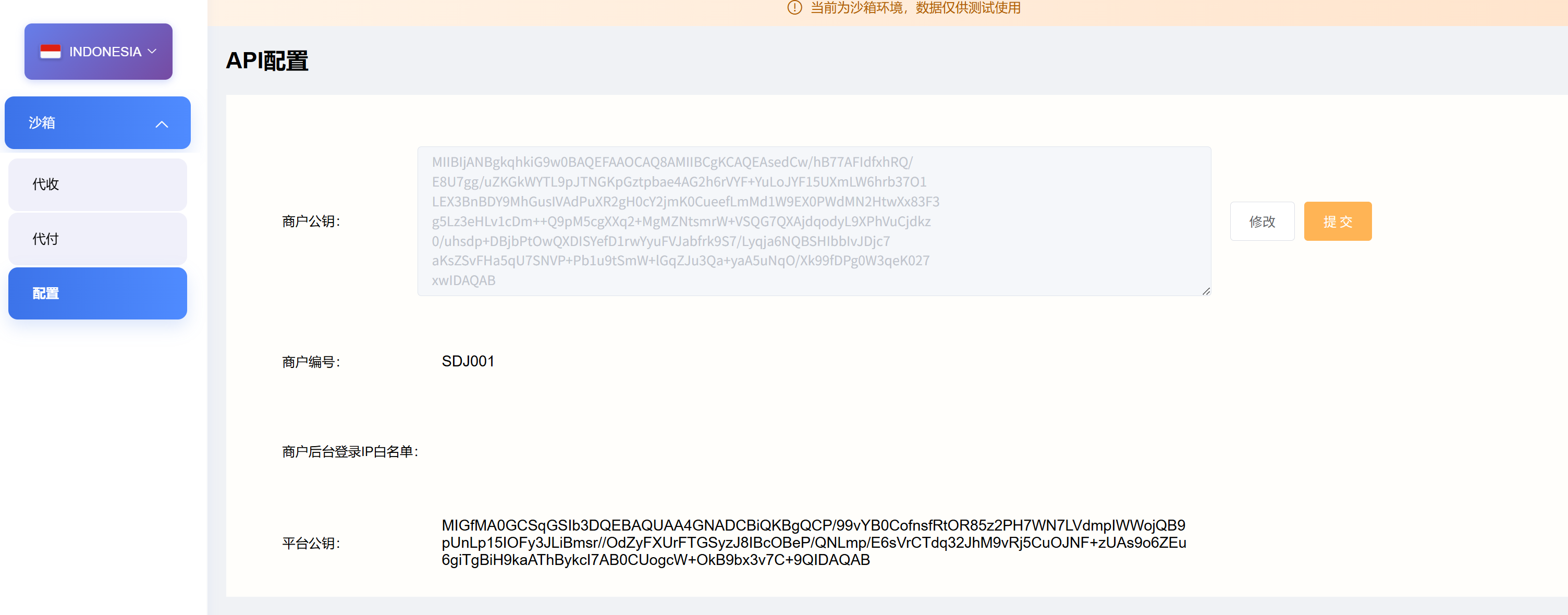
Params & callbacks
mchNo: sandbox merchant number (required)sign: generated per signature rulesdownNotifyUrl: callback URLs for Pay-In and Pay-Out- Pay-Out: ensure source IP is whitelisted if needed
3. Common sandbox APIs
Build URLs from the table above. Fiat recommended: https://openapi.toppayment.com/sandbox/{countryCode}/...; crypto recommended: https://openapi.toppayment.com/crypto/sandbox/...
| Scenario | Path (sandbox) | Notes |
|---|---|---|
| Pay-In create | /sandbox/{countryCode}/pay/prePay | method per payment method table |
| Pay-In query | /sandbox/{countryCode}/pay/query | Supports orderNum / platOrderNum |
| Pay-Out create | /sandbox/{countryCode}/disbursement/cash | bankCode per Pay-Out bank table |
| Pay-Out query | /sandbox/{countryCode}/disbursement/query | Supports orderNum / platOrderNum |
| Balance inquiry | /sandbox/{countryCode}/balance/v1 | Provide currency |
countryCode reference: ph (Philippines), id (Indonesia), ng (Nigeria), in (India), th (Thailand), vn (Vietnam), pe (Peru), br (Brazil), mx (Mexico), co (Colombia), bo (Bolivia), pk (Pakistan), bd (Bangladesh).
4. Callback & Status stimulation
- Sandbox sends callbacks to the
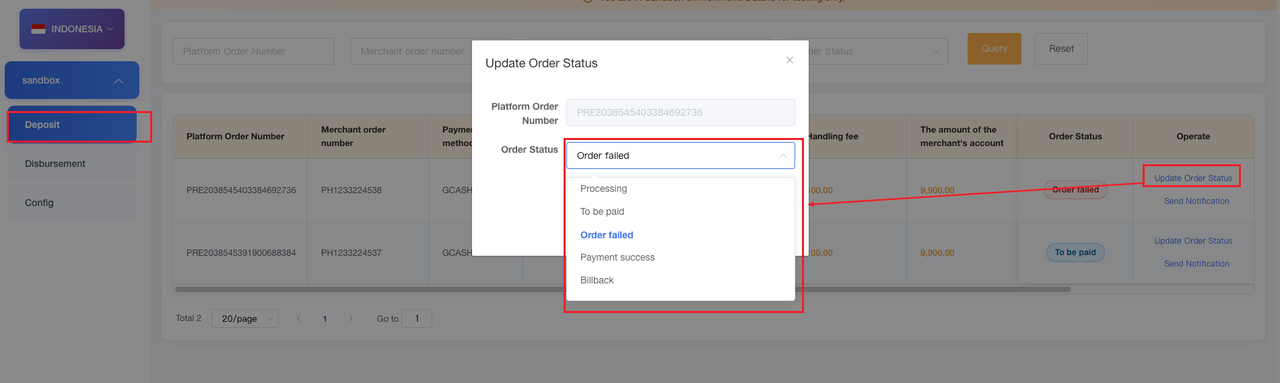
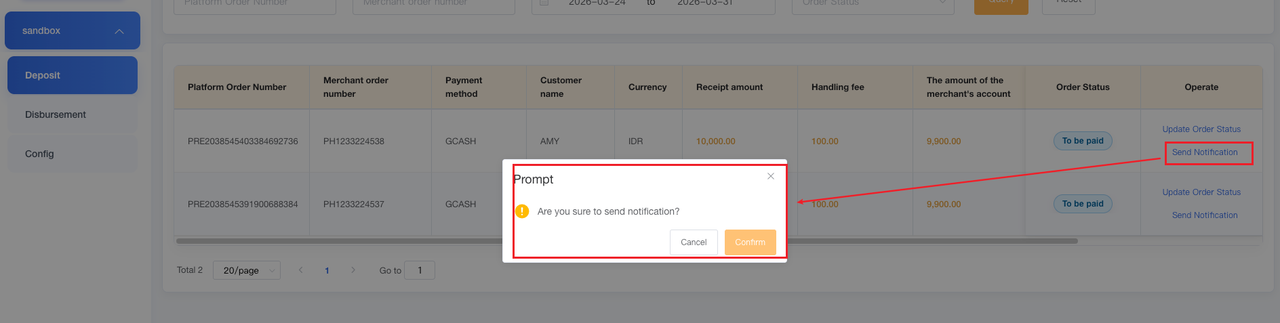
downNotifyUrlprovided in each order (Pay-In / Pay-Out). - Manual Stimulation:You may manually simulate callbacks via the sandbox backend by navigate to the order details page, use the “Change Order Status—or “Send Notification—buttons to modify status and trigger callbacks.
- Verify signatures according to the signature guide.