
Production
About 2 min
This guide covers production onboarding: merchant configuration, key and parameter preparation, available APIs, and callback handling.
1. Production Environment Info
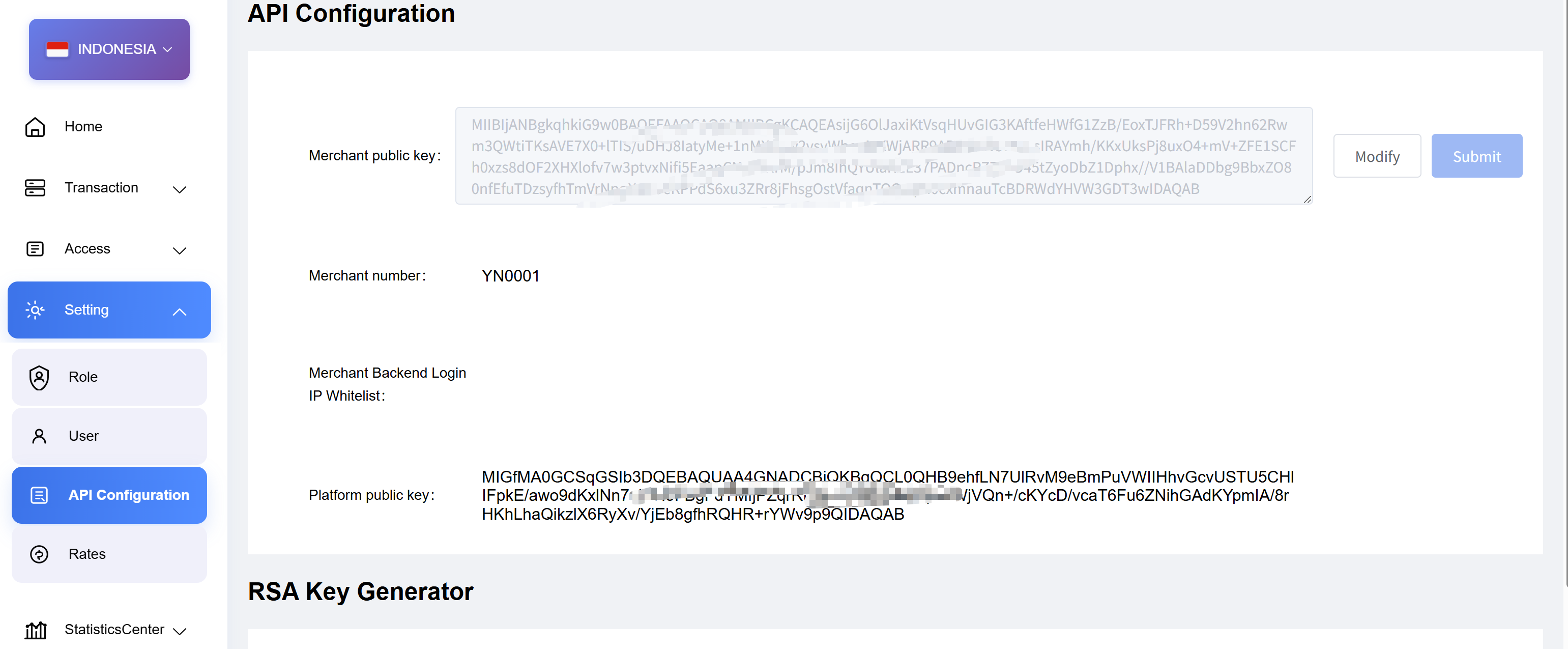
- Merchant number: All production requests must use the production merchant number
mchNo. - Callbacks: Callbacks are sent to the
downNotifyUrlprovided at order creation. Ensure that the callback URL is publicly accessible from the platform. For payout callbacks, if your system enforces an IP whitelist, confirm that the outbound IP of the platform is added to the whitelist before testing.
Domain guide
| Type | Domain | Scope | Notes |
|---|---|---|---|
| Unified domain (recommended) | openapi.toppayment.com | All fiat countries and crypto | Fiat paths include {countryCode}; crypto uses /crypto/...; legacy hosts remain available |
| Country domain (compatible) | global-{countryCode}-openapi.toppayment.com | All fiat countries | e.g. global-ng-openapi.toppayment.com |
| Legacy crypto domain (compatible) | global-digit-openapi.toppayment.com | Crypto | Path remains /crypto/... |
Examples:
- Recommended (fiat):
https://openapi.toppayment.com/{countryCode}/... - Recommended (crypto):
https://openapi.toppayment.com/crypto/... - Legacy (fiat):
https://global-{countryCode}-openapi.toppayment.com/{countryCode}/... - Legacy (crypto):
https://global-digit-openapi.toppayment.com/crypto/...
2. Pre-Integration Checklist
- Get production merchant config
From the merchant dashboard, obtain the production merchant number and configure the merchant public key. - Generate key pair
Use RSA PKCS#8 (recommended 2048-bit; 1024-bit for legacy merchants only — see Signature). Keep the merchant private key for signing; upload the merchant public key to the dashboard.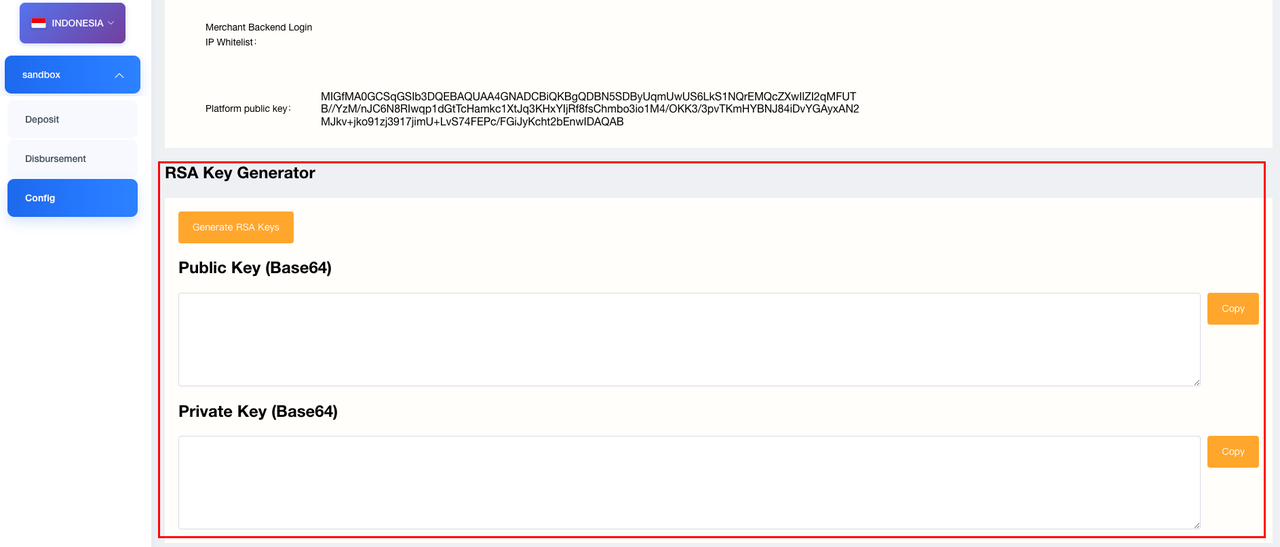
- Platform public key
Download from the dashboard for verifying platform callbacks. - Params & callback URLs
mchNo: production merchant number (required)sign: generate per signature rulesdownNotifyUrl: callback URLs for Pay-In and Pay-Out- Pay-Out: ensure source IP is whitelisted if needed
3. Common Production APIs
Build URLs from the table above. Fiat recommended: https://openapi.toppayment.com/{countryCode}/...; crypto recommended: https://openapi.toppayment.com/crypto/...
| Scenario | Path (production) | Notes |
|---|---|---|
| Pay-In create | /{countryCode}/pay/prePay | method see payment method table |
| Pay-In query | /{countryCode}/pay/query | Supports orderNum / platOrderNum |
| Pay-Out create | /{countryCode}/disbursement/cash | bankCode see Pay-Out bank table |
| Pay-Out query | /{countryCode}/disbursement/query | Supports orderNum / platOrderNum |
| Account verification | /{countryCode}/disbursement/bankVerify | Indonesia only; production only; synchronous, no callback |
| Balance inquiry | /{countryCode}/balance/v1 | Provide currency |
countryCode reference: ph (Philippines), id (Indonesia), ng (Nigeria), in (India), th (Thailand), vn (Vietnam), pe (Peru), br (Brazil), mx (Mexico), co (Colombia), bo (Bolivia), pk (Pakistan), bd (Bangladesh).
4. Callbacks
- The
downNotifyUrlprovided at order creation is called in production (Pay-In / Pay-Out separately). - Validate signatures per the signature guide.